Media organizations continue to seek more opportunities to bring additional teams, workflows, and content operations into their media supply chains. As the Rally media supply chain management platform continues to evolve, it continues to widen access — enabling more people, across more teams and levels of technical ability, to build, monitor, and take part in those supply chains, even as the content, workflows, and integrations they manage in the cloud keep growing.
Q2 2026 updates to Rally reflect this ongoing evolution. Enhancements to the Omakase Preview Player make more review capabilities available directly within everyday workflows, while usability improvements throughout Rally Core and Rally Gateway streamline common tasks and reduce manual effort. At the same time, new integration capabilities expand deployment options and provide greater flexibility as organizations continue to grow and extend their media supply chains.
Jump to:
- Usability Enhancements to Rally Preview Player
- Additional Usability Enhancements
- Integration Updates
Rally Preview Player
Markers in Timeline
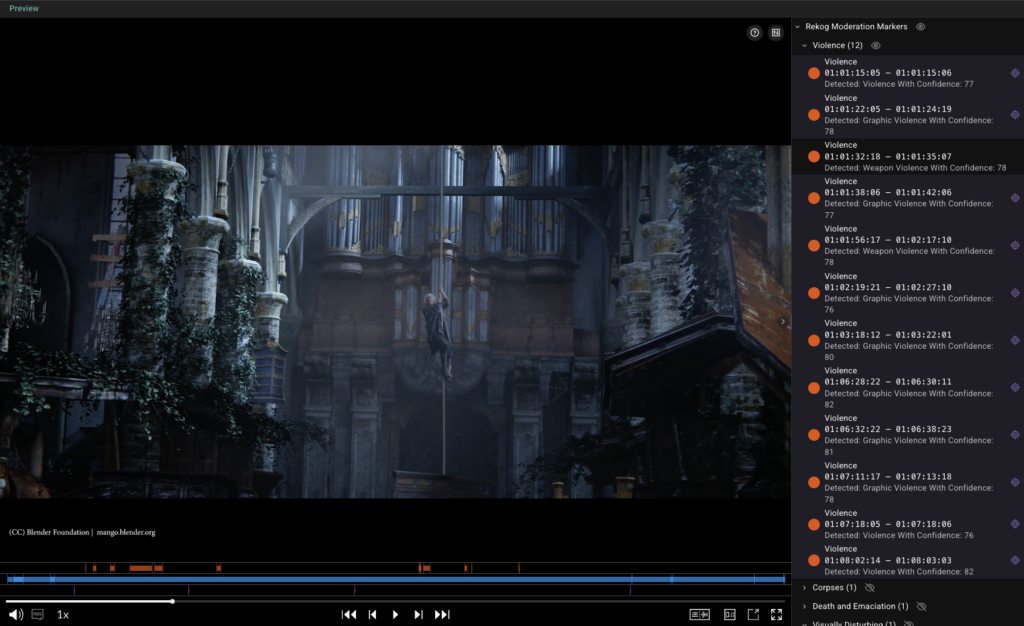
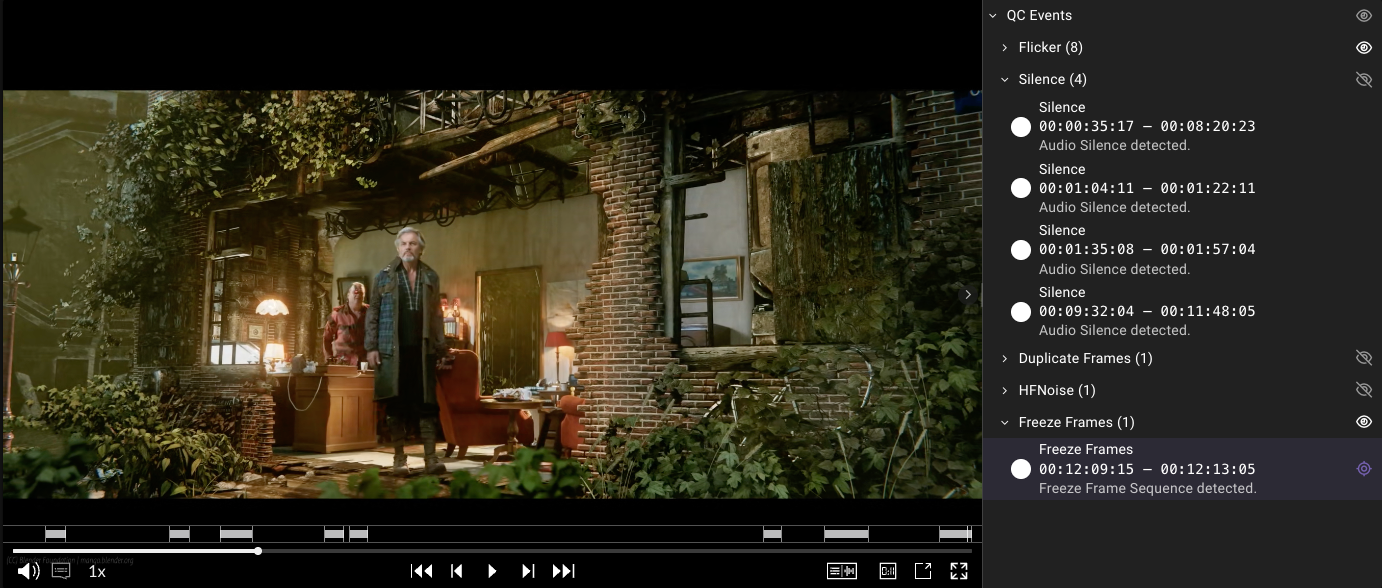
The preview player in Rally now shows markers directly on the asset timeline, so reviewers can see where key moments fall and jump straight to them without scrubbing through the whole asset. For quick checks, there’s no longer any need to open a full Accurate.Video Validate session; the markers are right there in the player, drawing on the same data structure as Rally Access. This update makes the preview player ideal for smaller tasks such as confirming ad breaks or segment types. With their full-screen capabilities, Accurate.Video Validate and Rally Access remain the go-to when users are working with many markers across many categories.
Subtitle/Caption Support
Extended subtitle and caption support within the Rally preview player allows operators reviewing content with sidecar caption files to preview a wider range of caption formats directly. Now supporting IMSC and TTML subtitle formats, including subtitle and caption color and placement, the player allows operators to verify text overlap and visibility issues directly within the preview. Also supporting SRT and SCC caption files, the player uses the media start timecode to ensure that, when displayed, captions align correctly with the content. Along with this extension of subtitle/caption support, SDVI also has refined marker styling and interaction in the preview player.
Work Order: Default Audio Settings
The Rally preview player now supports preconfiguration of the audio settings that are applied on launch, including which channels are enabled or disabled, whether the main video audio is active, and whether sidecar audio files are active. Previously, the player followed a fixed 7.1 distribution when routing 8-channel files to stereo and defaulted to main audio enabled with sidecar audio disabled, which did not always match the desired mix conventions. These defaults can now be defined in a preset for use in workorder mode, allowing operators to launch directly into the audio configuration appropriate for their content.
Hotkey Support
The Rally preview player now supports hotkeys, using the well-known J-K-L format to enable faster navigation as operators preview video content.
Additional Usability Enhancements
Work Order Priority Support
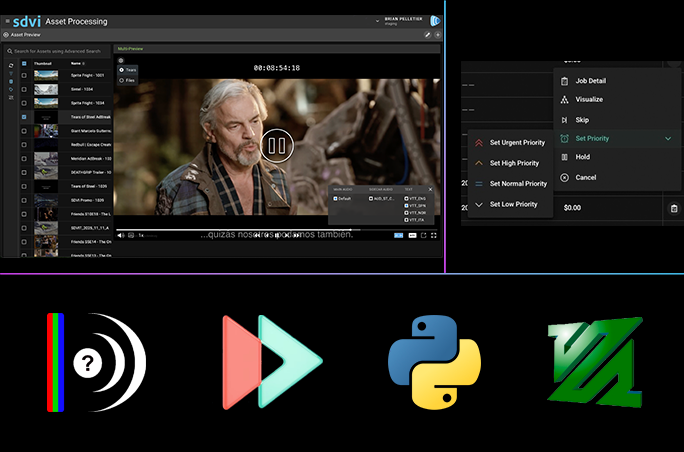
Rally users can now set priorities on work orders, and priority is displayed in both list and table views. This enhancement helps operators quickly identify the work that requires their immediate attention.
Custom Tabs in the Work Order Widget
Rally now supports the creation of custom tabs in the Work Order widget, with each tab based on a predefined query. Different types of work orders therefore can be presented within a single Gateway page, making it easier for operators to locate the work relevant to their role.
Configuration of Minimum and Maximum Upload Files
Rally administrators now can configure the minimum or maximum number of files allowed to be uploaded in the Upload Collector widget. If a user uploads too few or too many files, then the supply chain trigger widget can’t be used — so progress can’t be saved and supply chains can’t be started. This enhancement gives administrators more precise control over Gateway workflows.
Upload Estimated Time Remaining
The Rally UI now displays the estimated time remaining during file uploads, giving operators a clear indication of upload progress. As a result, it is easier for operators to plan around longer transfers and to quickly identify uploads that are taking longer than expected.
Combined Asset Picker and Asset List
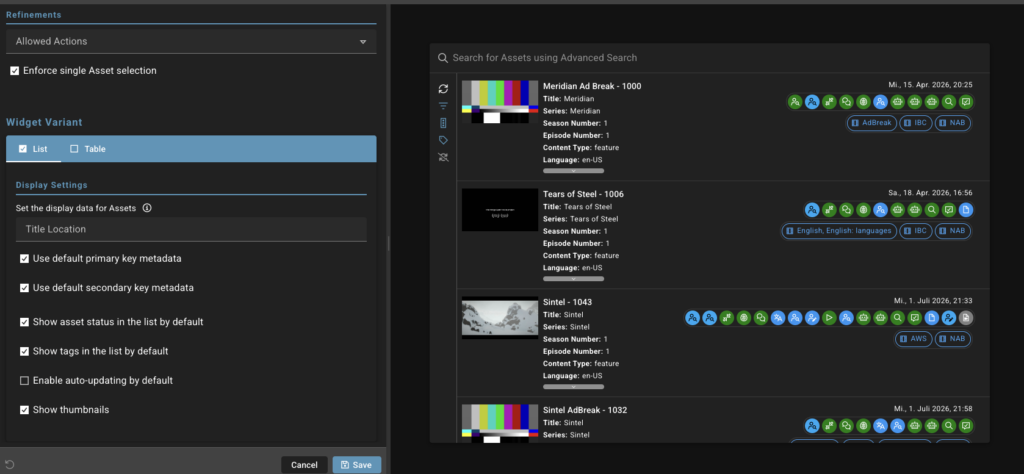
Because the Asset Picker and Asset List widgets perform the same task, but with different layouts, they have been consolidated into a single Asset Picker widget that can be configured for list or table view. While existing Asset List widgets continue to function, the Asset List widget has been deprecated and can no longer be added to new dashboards. Actions previously available only on the Asset List now can be configured on the Asset Picker, allowing administrators to specify exactly what operators can do on a Rally Gateway, in turn improving efficiency and preventing errors.
User-Selectable Search Type
The Asset Picker, Asset List, and Work Order widgets previously required administrators to choose either Simple or Advanced search for all users. A new User Choice option allows operators to switch between Simple and Advanced search at runtime, though administrators who prefer to standardize on a single search type can continue to do so.
Clearer Empty-State Message in the Asset Inventory Widget
The Asset Inventory widget now clearly indicates that users can select either an asset or a work order to display inventory, eliminating confusion when working in Work Order mode.
Asset Dashboard: Resizable Preview Panel
The Asset Dashboard preview panel is now resizable, allowing operators to adjust the relative size of the asset grid and preview panel to make more room — particularly when taking a more detailed look or when scanning many assets at once. The asset grid and preview panel now sit side by side with a draggable handle between them, so operators can adjust the proportions just as they do the resizable panes already used in the Task editor.
Forms: Clearer Emphasis on Required Fields
Required fields in forms previously were marked only with a small asterisk that was easy for operators to overlook, often leaving them unsure why the Supply Chain Trigger button stayed grayed out. Required fields are now given clearer visual emphasis so they stand out at a glance, highlighting what needs to be completed before a supply chain can be triggered.
Notifications: Open the Related Resource Directly
Notifications now can include direct links to the related resource, allowing operators to open the relevant asset or object with a single click across Gateway, Access, and Rally. Notifications that aren’t tied to a specific resource behave exactly as before.
Last Updated Time for Asset and Supply Chain Metadata
Because Rally now displays — directly in the Asset Details view — the time at which metadata was last updated, operators can verify update times without opening and loading the metadata itself.
Provider Page Performance Improvements
Provider pools now load on demand rather than all at once, significantly improving performance for Rally deployments that manage large numbers of providers. Closed sections show overview data, and full data is fetched only when sections are expanded.
Delivery Detail View Improvements
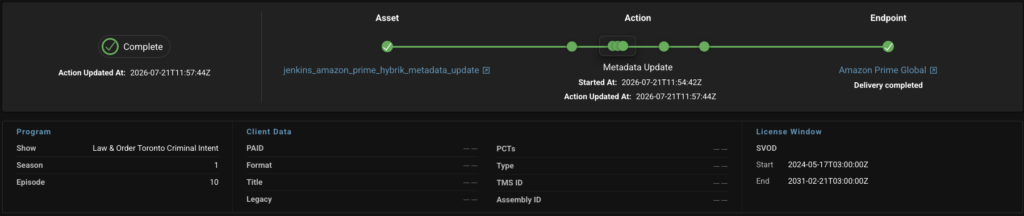
The Delivery Detail view in Rally Connect has been enhanced in two key ways. First, the view now displays the Connect version that was active when a delivery was processed, even for historical deliveries when this information is available. As a result, it is easier to correlate delivery issues with a specific release or to validate behavior during regression testing. A clear placeholder is shown when the version can’t be resolved.
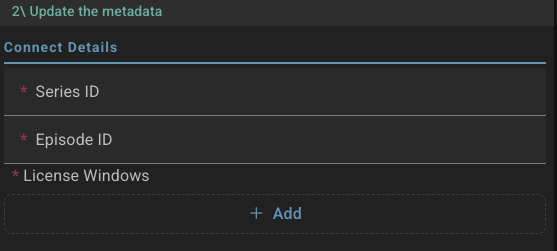 And second, the Connect layout has also been redesigned. Delivery information — license windows, program information, and client data fields — is now visually grouped and aligned so operators can find a specific value at a glance, whether on the full detail page or on the Gateway dashboard widget.
Integration Updates
Rally: CC Recipients for Email Notifications
Email notifications now support CC recipients along with the existing To and BCC fields. Both the send_notification action in supply chains and notification presets support the new CC field, which accepts multiple recipients. This makes it easier to keep operations leads, account managers, downstream teams, and other stakeholders informed without adding them as primary recipients. The BCC field now also correctly accepts multiple addresses.
Reporting: Activating Job ID in Asset Usage Reports
Asset usage reports now include the ID of the job that triggered each asset activation, for both inactive-to-low-touch/longform and low-touch-to-longform transitions. Previously, determining which job drove a given activation required a manual, error-prone reconciliation exercise — a particular challenge when activation costs are attributed across satellite offices or business units. Surfacing the activating job ID directly in the report makes cost attribution straightforward. The existing report structure and content are unaffected.
SDVI Mover: Aspera CLI SSH Private Key
SDVI Mover now supports SSH private key authentication when uploading media using the Aspera CLI. This allows for wider adoption in environments where login requires an SSH private key.
SDVI Mover: S3 Access and Secret Key Support
Although IAM role assumption remains AWS’s recommended authentication method, it is not always practical when transferring media to external environments. SDVI Mover now supports access key and secret key authentication for S3 transfers, expanding the range of available transfer endpoints when delivering media. This applies to external transfers performed by Mover; within Rally, IAM role assumption is still required.
SDVI Mover: Support for S3-Compatible Storage Endpoints
Because SDVI Mover’s externalStorage S3 protocol previously assumed AWS-hosted buckets, with no way to specify a custom endpoint, it was incompatible with S3-compatible on-premises object stores such as PureStorage FlashBlade. Now, an optional custom endpoint URL can be configured on an externalStorage S3 source or destination, allowing non-AWS S3-compatible stores to be used directly in SDVI Mover presets for copy, move, and delete operations without registering them as Rally Storage Locations. Existing AWS S3 behavior is unaffected when no custom endpoint is specified.
Baton Captions Connector: Inline QC Test Plans in the Preset
The Baton Captions connector previously required QC test plans to be pre-imported into each instance and referenced by name in the Rally preset. While effective for static deployments, this approach limited the use of dynamically provisioned elastic instance pools. Test plans now can be defined directly within the preset and uploaded automatically before QC processing begins. This brings the connector in line with other QC providers that support inline test plans, such as Interra Baton QC, while enabling more scalable elastic deployments. Existing presets that reference a pre-imported template by name continue to work.
—
To learn more about any of these Rally enhancements or to see them in action, please contact the SDVI team to schedule a demo.